Create a perfect
typographic scale
in one click.
The Figma plugin that generates frames, text styles and variables, then exports clean CSS and ready-to-use AI prompts, so design and development finally stop fighting each other.
Normally it takes hours.
With Typewave, it only takes seconds!
Choose up to 5 font hierarchies per scale
Organize fonts into clear roles: Primary, Secondary, Tertiary, Quaternary, and Quinary. This ensures that each font family has a precise function within the typographic system.
Build the scale of your project
Start from the Website preset: Display, Heading, Body, Button and Caption, ready to use and fully customizable. Set your values once for desktop, and Typewave scales tablet and mobile automatically, keeping every breakpoint balanced.
Export the complete typographic system in Figma
Typewave builds preview frames, Text Styles and Variables for you, then exports clean CSS or an AI prompt ready to brief any tool. Save it all as a project, and it's there whenever you need it again.
Your Figma file,
organized to perfection
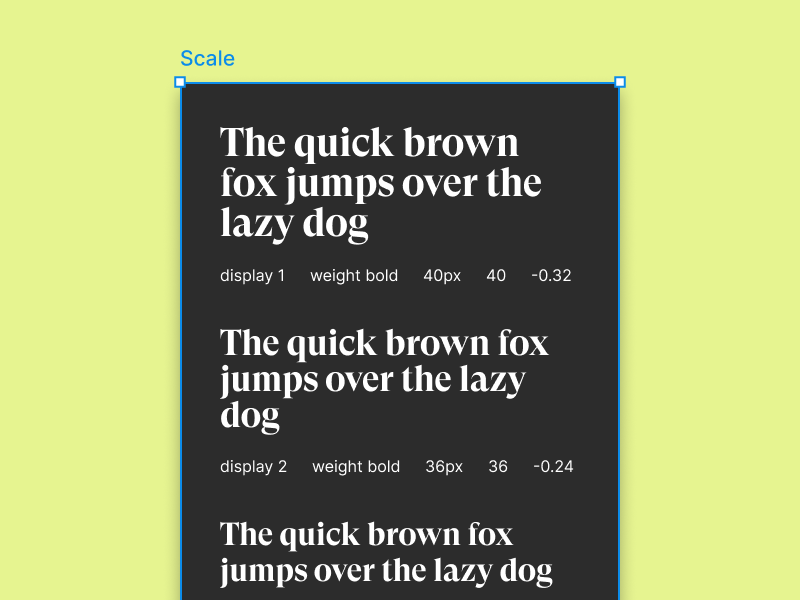
Frames
Every category and level gets its own preview frame, with real text instead of placeholder boxes. Compare desktop, tablet and mobile side by side, right inside Figma.
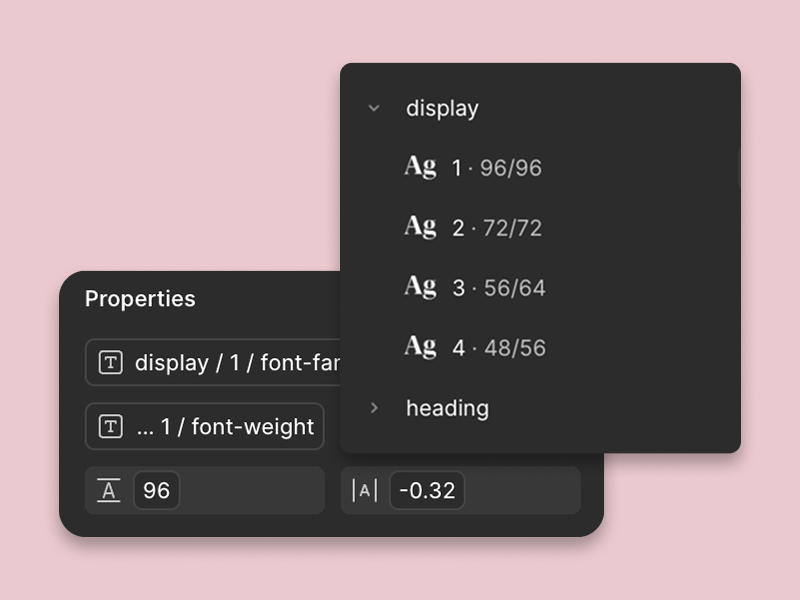
Styles
A ready-to-apply Text Style for every level of your hierarchy, named the way your team already thinks. Assign them in two clicks, no manual setup, no naming debates.
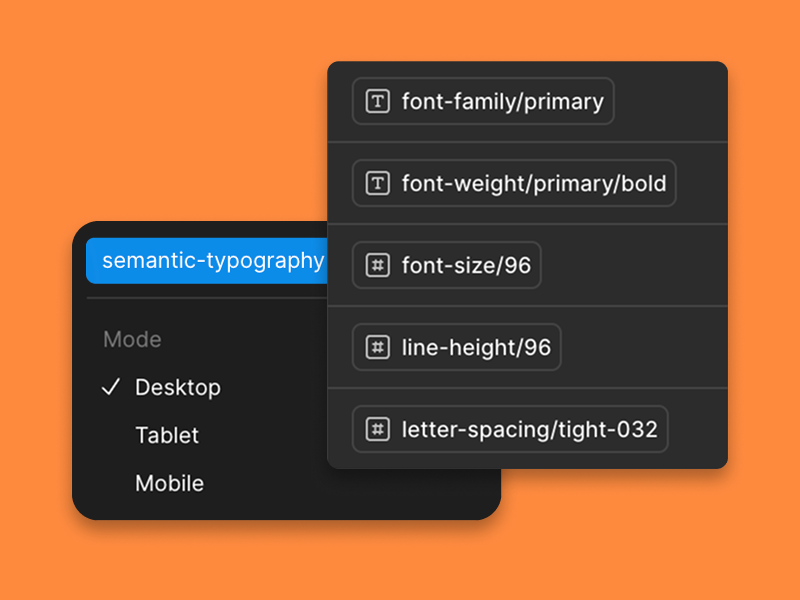
Variables
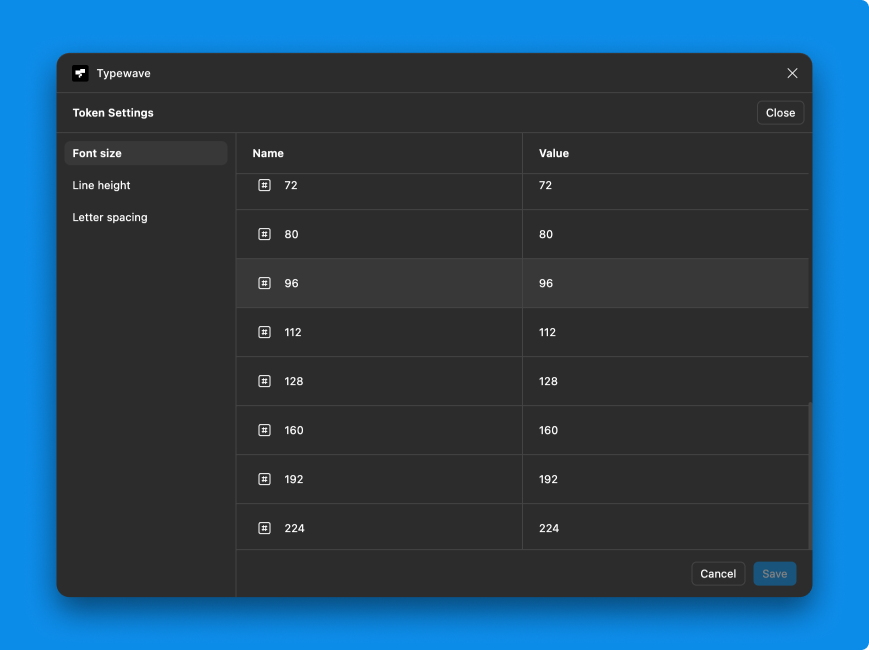
Every value becomes a Figma Variable, split into Primitives and Semantic Typography. Desktop, Tablet and Mobile are ready to go as switchable modes.
Responsive design is
no longer an issue.
A typographic system that understands context. Small sizes like 12 or 14px barely move across breakpoints, while larger ones scale down more the bigger they are, so a 96px desktop heading becomes around 40px on mobile. Set your values once for desktop, Typewave handles the rest. Try it yourself: pick a size below and watch the whole scale adjust in real time.
Save your presets
and import them into
any Figma project.
Design and development
have never been this close.
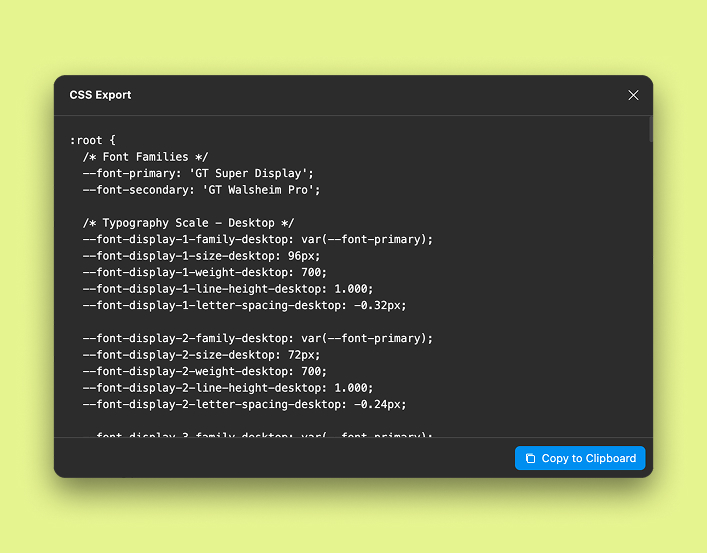
CSS
Every value in your scale, from sizes to line-heights, exports as clean CSS custom properties for every breakpoint. Developers get a structure that's already perfectly in sync with what you designed, so there's nothing to reinterpret or retype. Copy, paste and ship, no manual transcription, no drift between design and code.
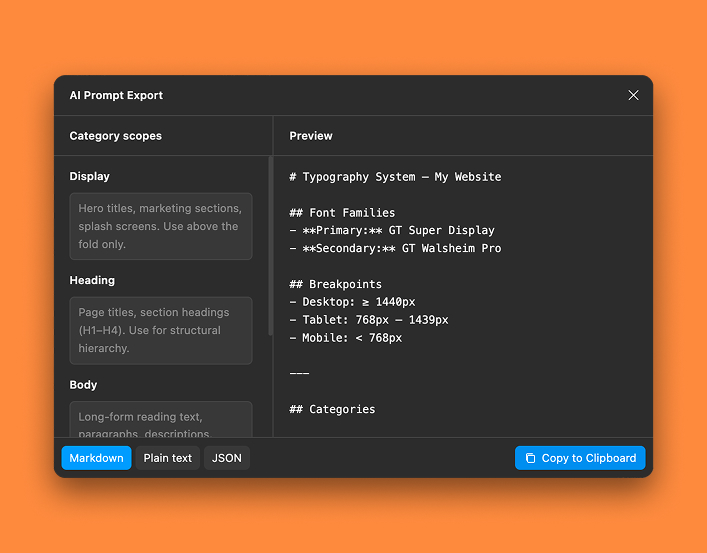
AI Prompt NEW
AI tools have no idea what each font role is for unless you spell it out, and repeating that in every single prompt gets tedious fast. Typewave solves it once: every category ships with a clear, built-in purpose, like "Display for hero titles only" or "Caption for timestamps and metadata". Export it as a ready-to-use prompt, and assistants like Claude, Codex, Lovable, Cursor, Bolt or Windsurf apply your typography correctly from the first line, nothing to restate.
Buy it once, forever.
Everything included
- Save Presets
- Export Frames
- Export Text Styles
- Primitives & Semantic Variables
- Editable Design Tokens
- Desktop, Tablet and Mobile Breakpoints
- CSS Export
- Generate AI Prompt NEW